More...

Requirements: Windows 95, 98, ME, NT, 2000 or XP

See Also: ImageForge Master Edition

ImageForge Logo
ImageForge PRO Features

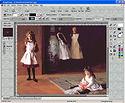
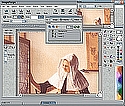
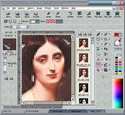
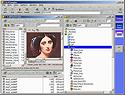
ImageForge PRO contains a full set of painting, editing and imaging functions, including:


Natural Tools:

·  Brushes: Normal, Watercolor, Oil, Chalk, Pencil;

· Smudge;

· Scatter;

· Lighten (dodge) and Darken (burn) brushes;

· Spatter;

· Design Your Own Custom Pen Tips;

· Support for drawing using pressure-sensitive stylus or tablet devices;

· etc.

Specialty Tools:

·  Use Gradients and Patterns;

· Text (rotate, flip, effects, place on circular path, etc.);

· Create outline Polygon Text, which may be deformed;

· Create 3D text and other lighted 3D objects;

· Create or import paragraph text;

· Animation Editor;

· Flood Fill Tools (including fill with image or lighted embossed texture, color replacement fill, etc.);

· Erasers include: Color Channel eraser (eliminate Red Eye in scanned photos, etc.), Color-to-Color eraser (remove only specific colors), Normal Eraser (erase to paper color);

· Shapes: rectangles, circles, polygons, stars, lines and curves;

· Image Deformation brushes;

· Clone paint using material from another area of the same image (great for retouching), or even between open images;

· Brush in or fill with material from a second image (or a previously saved version of the same image);

· Paint using clipart on brushes (brush on a series of one or more small images or patterns, with optional rotation);

· Selector Tools;

· History list of recently used colors.

Special Effects Filters:

·  Special Effects may be brushed on, or applied to all (or a selected part) of your image;

· Brightness, Contrast, Gamma;

· Bump mapping (create raised, 3D effects);

· Spotlight;

· Texturize;

· Mosaic;

· Create Seamless Tiles;

· Motion, Whirlpool and other effects;

· Blur, Sharpen, Edge Detection;

· Support for Photoshop-type Plugin filters;

· Custom, User-defined filters;

· and many more.

Compositing Layer Features:

· Control layer Transparency prior to merging into image;

· Merge a second image into the image being edited;

· Options to position/resize imported images.

Animator:

·  Copy, move and delete frames;

· Control timing;

· Full painting capabilities;

· Auto-generate transition effects;

· Import from other animation files;

· Merge frame with other images.

Web Imaging Features:

· Produce optimized JPG, PNG, GIF, Transparent GIF and Animated GIF files;

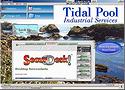
· Automatically writes HTML and Javascript code for Effects such as thumbnail previews, slide-out images, watermarks, etc.;

· Create clickable HTML image maps;

· Automatically generate common Animation effects;

· Slice images into multiple pieces;

· Automatically produce code for HTML table to contain sliced images (complete with optional links);

· Tools for reducing number of colors, and automatic palette optimization;

· Edit HTML code with the included editor, or paste code into another document;

· Add watermarks to images.

Object Layer Features:

· Position and sort multiple objects prior to merging them into an image;

· Place vector lines, curves and other shapes;

· Include objects from other images;

· Treat Fills as objects;

· Paint with clipart;

· Position and light 3D text and objects;

· Place editable/warpable text;

· Convert 2D objects to rotatable 3D;

· Preview with background.

Mask Layer Features:

· Combine portions of your image with a second image, or texture;

· Control transparency and smooth transitional areas using shades of gray in your mask;

· Options to position/resize imported images;

· Save and Load masks.

Create Stand-alone Image Libraries and Albums:

·  Use ActivLibrary to create your own stand-alone EXE programs for distributing portfolios of your images;

· Customizable Installation Program;

· Option to allow users to Extract images;

· Option for users to Edit extracted images;

· Options for viewing images as a Slide Show;

· Option to allow view as thumbnails only;

· Export your slide show as a Windows screen saver.

Other Features:

· Merge images directly, or with gray scale masking;

· Print separations;

· Print multiple images on a single sheet;

· Full painting capabilities;

· Convert groups of images to other formats;

·   Screen capture;

· Support for scanners, cameras, and other TWAIN-compliant devices.

Quickly select from a history list of your most recently used colors.

Color Similarity options.

Resize Image, Resample, Enlarge Canvas, and Crop functions.

Rotate by degree.

plus many other tools, options and features.

Use the built-in Library functions to assemble collections of images for family "photo albums" or professional portfolios. You can create your own EXE programs, complete with installation setup, image viewer and editing utilities, which you may use distribute or sell to others.

Supported File Formats Include:

Image Formats
Specialty Formats
Animated Formats
.BMP
.PCX
.JPG
.PNG
.GIF
Dicom
.TIFF
.TGA
.DIB
.WMF
more ...
.ICO (32x32)
.ICL (import)
.HTM/HTML (export)
.WAV (slide show audio)
.MP1-.MP3 (slide show audio)
Screen Capture
.AVI
.MOV
.FLC
.FLI (import)
animated .GIF
.BMP filmstrip
.ANI (import)

Description - Screenshots - Download - Purchasing - Questions